Posts

Showing posts with the label developer

Headless action button using LWC (No Modals)

Image
  A headless quick action executes custom code in a Lightning web component. Unlike a screen action, a headless action doesn’t open a modal window. Expose invoke() as a public method for headless quick actions; the invoke() method executes every time the quick action is triggered. Return type of invoke() is void . Using async will make invoke()  execute asynchronously.  // js file import { LightningElement, api } from 'lwc'; import { ShowToastEvent } from 'lightning/platformShowToastEvent'; export default class DispatchEventHeadlessAction extends LightningElement {     @api recordId;      isExecuting = false;     @api async invoke() {           if (this.isExecuting) {           // This code uses a boolean flag to block a double execution            return;          }           this.isExecuting ...

Keyboard Shortcuts for salesforce developer console

Image
Ctrl + E Open the Execute Anonymous Window. Ctrl + O Open files. Ctrl + Shift + a Open Lightning Resources Ctrl + Shift + h Search in files Ctrl + ALT + / Close all tabs Ctrl + , Navigate backward through the view history Ctrl + . Navigate forward through the view history

Visual Force Email Templates being sent as blank by Automated Process User

This might happen if an automated process user updates a record and then uses the same record to send an email using the Visual Force email template. Example of email template: Hi, XYZ has submitted {!relatedTo.Name} for your re-approval. The following title of a known issues article in Salesforce is: VF Workflow Emails are Blank when the records are Last Modified by "Automated Process" user Solution: To replace/override the automated process user by any user who has required permissions. step 1: Login to workbench step 2: Use below POST endpoint /services/data/v58.0/tooling/sobjects/PlatformEventSubscriberConfig step 3: JSON body should appear below: {     "BatchSize" : "50",     "DeveloperName" : "",     "MasterLabel" : "",     "PlatformEventConsumerId" : "01qXXXXXX..", // APEX Trigger's ID     "UserId" : "005XXXX..." // User's ID } step 4: Hit Execute, that will ove...

How to Give Permissions to Automated Process Users or System Context Users

Image
What is Automated Process Users Automated Process Users are special users created automatically by Salesforce, are essential to the execution of automated jobs and background processes. These users are essential for executing tasks that require no direct human intervention, such as: Flows: Automated Process Users can run Flow automations that perform actions like updating records, sending emails, or creating tasks. Approval Processes: They can act on behalf of users in approval processes, ensuring that approvals move forward even without direct user interaction. Scheduled Jobs: These users can run scheduled jobs that perform maintenance tasks or batch data processing. 1. How to fetch automated process user using SOQL? SELECT ProfileId, name FROM User WHERE Alias = 'autoproc' 2. How to give permission of apex class to automated process user step 1: visit following link <ORG_BASE_URL>/_ui/system/user/ProfileApexClassPermissionEdit/e?profile_id=<Automated_Process_User...

Salesforce Custom Metadata Types Explained: Benefits, Setup, and Examples

Image
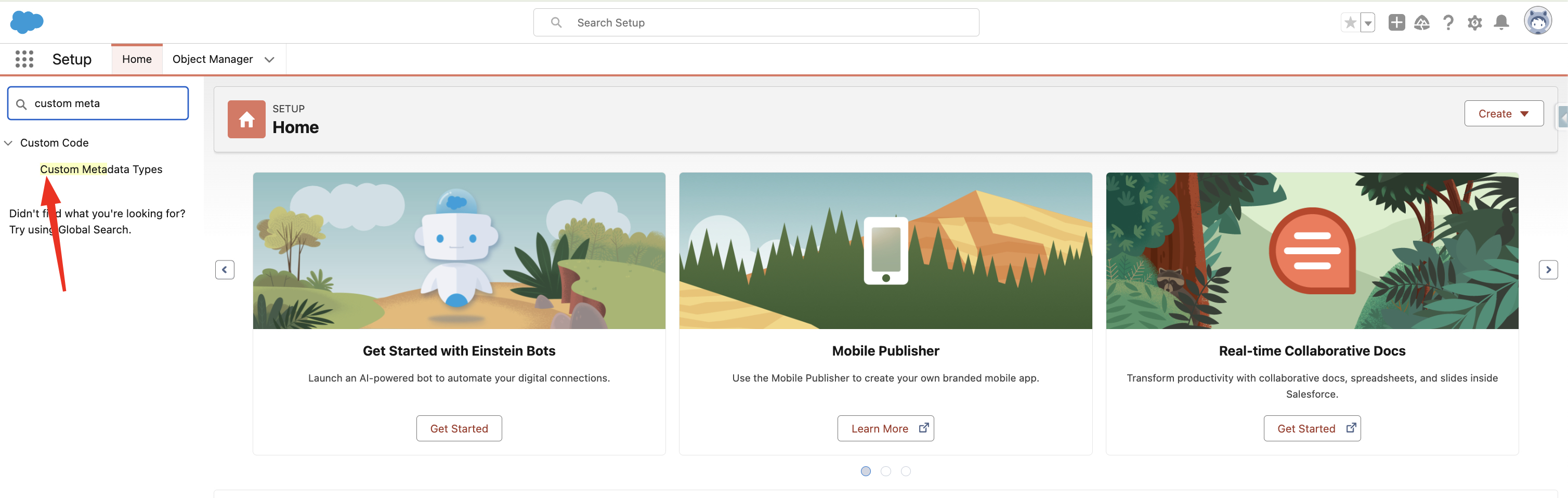
Salesforce's powerful Custom Metadata Types functionality lets developers and administrators make deployable, adjustable configurations and settings. The application cache contains all of the custom metadata, allowing access without requiring repeated database queries. How to create Custom Metadata Type 1. Search  Custom Metadata Type  in Setup Quick Find. 2. Click New Custom Metadata Type 3. Fill all required fields and click save Accessing Custom Metadata Type in Apex 1. Using getAll() - returns map of developer name to metadata type record list.   Datatype returned by the method - Map<String, Games__mdt> List<Games__mdt> mcs = Games__mdt.getAll().values(); boolean textField = null; if (mcs[0].GameType__c == 'PC') { textField = true; } system.assertEquals(textField, true); 2. Using getInstance(recordId) Returns a single custom metadata type record sObject for a specified record ID. Games__mdt mc = Games__mdt.getInstance('m00000000000001'); Using g...

SOAP Integration in Salesforce

Image
If you don’t know the basics of SOAP fear not, because I've got you covered! Dive into the basics of SOAP with my latest blog, ' SOAP Explained: With JavaScript .’ Oh, you already know about SOAP and are here to learn how it works in Salesforce? You've come to the right spot! Let's get started. SOAP Integration in Salesforce SOAP is a protocol where client and server are tightly coupled meaning that minor changes on either side can potentially disrupt the connection.   To use SOAP API, your org must use Enterprise Edition, Performance Edition, Unlimited Edition, or Developer Edition. In all supported editions, a user must have the API Enabled permission turned on in the user profile they’re assigned.  In Salesforce, Apex SOAP web services(It is like a class) allow an external application to invoke Apex methods through SOAP Web services. The Web service that is available to you is defined in generated WSDL file. What is WSDL? Web Service Description Language is a file t...