Posts

Communication between unrelated components using LMS in salesforce

Image
Communication between unrelated components in salesforce using  Lightning Message Service (LMS) LMS is a publish and subscribe service that facilitates communication between Lightning web components, Aura components, and Visualforce pages.
 Step1: Create a Lightning Message Channel Create a folder named “messageChannels” under force-app/main/default Create a file under the "messageChannels" folder with the name <channel>.messageChannel-meta.xml Example: <?xml version="1.0" encoding="UTF-8" ?> <LightningMessageChannel xmlns="http://soap.sforce.com/2006/04/metadata">     <masterLabel>CountUpdated</masterLabel>     <isExposed>true</isExposed>     <description>Message Channel to pass Count updates</description>      <lightningMessageFields>         <fieldName>operator</fieldName>         <description>This is the operator type...

Path to Salesforce Technical Architect

Image
 Follow following path to achieve Salesforce Technical Architect All the Best!

Visual Force Email Templates being sent as blank by Automated Process User

This might happen if an automated process user updates a record and then uses the same record to send an email using the Visual Force email template. Example of email template: Hi, XYZ has submitted {!relatedTo.Name} for your re-approval. The following title of a known issues article in Salesforce is: VF Workflow Emails are Blank when the records are Last Modified by "Automated Process" user Solution: To replace/override the automated process user by any user who has required permissions. step 1: Login to workbench step 2: Use below POST endpoint /services/data/v58.0/tooling/sobjects/PlatformEventSubscriberConfig step 3: JSON body should appear below: {     "BatchSize" : "50",     "DeveloperName" : "",     "MasterLabel" : "",     "PlatformEventConsumerId" : "01qXXXXXX..", // APEX Trigger's ID     "UserId" : "005XXXX..." // User's ID } step 4: Hit Execute, that will ove...

How to Give Permissions to Automated Process Users or System Context Users

Image
What is Automated Process Users Automated Process Users are special users created automatically by Salesforce, are essential to the execution of automated jobs and background processes. These users are essential for executing tasks that require no direct human intervention, such as: Flows: Automated Process Users can run Flow automations that perform actions like updating records, sending emails, or creating tasks. Approval Processes: They can act on behalf of users in approval processes, ensuring that approvals move forward even without direct user interaction. Scheduled Jobs: These users can run scheduled jobs that perform maintenance tasks or batch data processing. 1. How to fetch automated process user using SOQL? SELECT ProfileId, name FROM User WHERE Alias = 'autoproc' 2. How to give permission of apex class to automated process user step 1: visit following link <ORG_BASE_URL>/_ui/system/user/ProfileApexClassPermissionEdit/e?profile_id=<Automated_Process_User...

Salesforce Custom Metadata Types Explained: Benefits, Setup, and Examples

Image
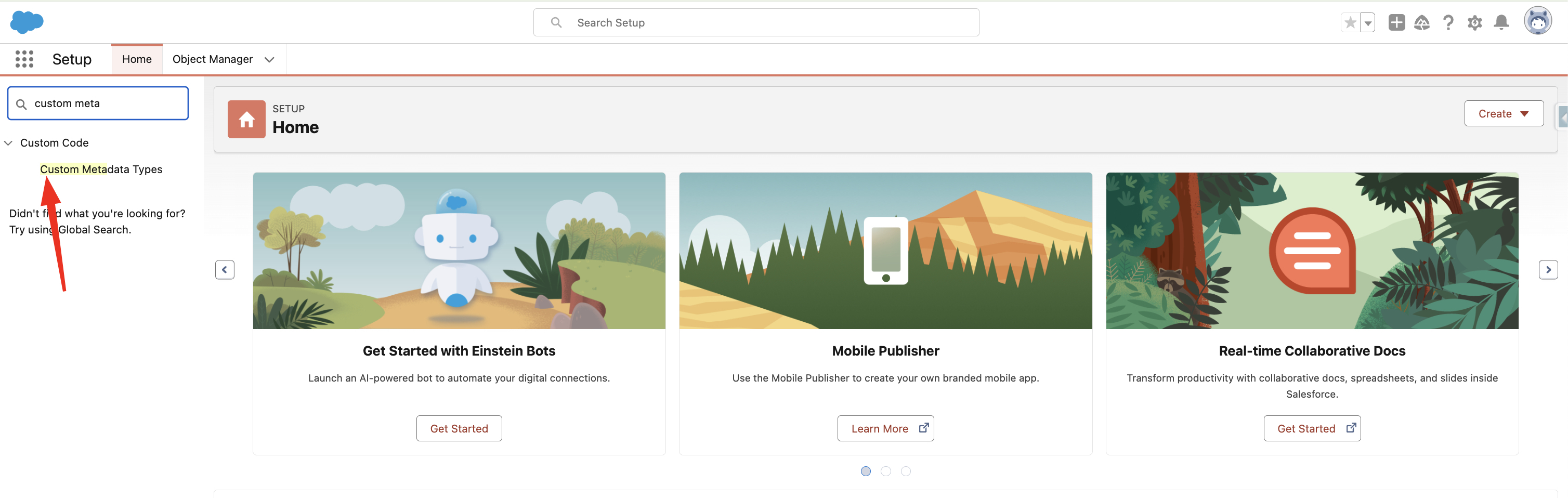
Salesforce's powerful Custom Metadata Types functionality lets developers and administrators make deployable, adjustable configurations and settings. The application cache contains all of the custom metadata, allowing access without requiring repeated database queries. How to create Custom Metadata Type 1. Search  Custom Metadata Type  in Setup Quick Find. 2. Click New Custom Metadata Type 3. Fill all required fields and click save Accessing Custom Metadata Type in Apex 1. Using getAll() - returns map of developer name to metadata type record list.   Datatype returned by the method - Map<String, Games__mdt> List<Games__mdt> mcs = Games__mdt.getAll().values(); boolean textField = null; if (mcs[0].GameType__c == 'PC') { textField = true; } system.assertEquals(textField, true); 2. Using getInstance(recordId) Returns a single custom metadata type record sObject for a specified record ID. Games__mdt mc = Games__mdt.getInstance('m00000000000001'); Using g...

Salesforce Custom Settings: Optimizing Your CRM for Maximum Efficiency

Image
What is Custom settings Salesforce Custom Settings is similar to custom objects, that allow you to create custom data sets and associate them with your Salesforce organisation. It store data in the application cache, enabling efficient access for various Salesforce functionalities like formula fields, validation rules, Apex, and SOAP API. Why we use Custom settings It allow to store configuration data including default settings for org, application parameters, or any other custom data that can be used in apex or LWC.   Unlike custom objects, they can be accessed without needing to perform SOQL queries, making them faster and more efficient for accessing configuration data. Types of Custom Settings 1.  List Custom Settings It provides a reusable set of static data that can be accessed across your organization, It  doesn’t vary with profile or user.  Examples of list data include three-letter country code abbreviations. 2. Hierarchy Custom Settings It uses a built...